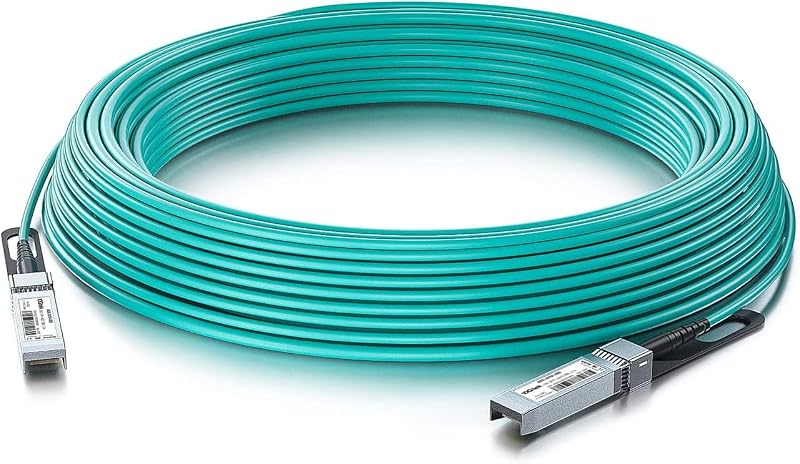
10G SFP+ AOC Cable - 10GbE SFP+ to SFP+ Active Optical Fiber Cable, OM3 MMF Direct-attach Fiber Assemblies with SFP+ connectors for Cisco SFP-10G-AOC50M, Ubiquiti UniFi, Supermicro, Mikrotik, 50-meter

10G SFP+ AOC Cable - 10GbE SFP+ to SFP+ Active Optical Fiber Cable, OM3 MMF Direct-attach Fiber Assemblies with SFP+ connectors for Cisco SFP-10G-AOC50M, Ubiquiti UniFi, Supermicro, Mikrotik, 50-meter

similar products:

comments:

InvisiBillnet posted on r/homenetworking3w

In the pictured scenario, there's no performance difference between the two options. In both cases, all the devices are connected to the same switch, so they have full bandwidth to each other. They're all sharing the uplink from the switch to the ISP router, so any internet traffic could be bottlenecked by that uplink. The switch being a little further one way or the other makes no difference at all. If you remove all the red from your pic, the sameness of the topology becomes pretty visually obvious. In this case, it would be less effort and material to just run one cable between the house and garage. ------------------------- The difference would come into play when you have other switches/devices in the house (assuming all links are the same 1Gbps). https://i.imgur.com/w5XGA89.png is a slight variation of your scenario. In the first option there, all devices are plugged into the switch and have full bandwidth to each other without impacting the other devices on that switch. A PC in the garage could be doing a full 1Gbps file transfer to the PC in the house, while a second PC in the garage is using a full 1Gbps connection to the internet. The downside is having to run a cable the full distance to every PC - it becomes a lot more work and cable when you have dozens of In the second option, all the garage devices share a single link back to the house. Same situation as before: one garage PC is transferring files to the house PC and a second garage PC is accessing the internet. The combined traffic from the two garage PCs would have to share that single 1Gb link between the switches. Each connection would get an average of 500Mbps if they were going simultaneously. If the third and fourth garage PCs were also trying to get to the internet, each garage PC would end up with an average of 250Mbps. The third option shows using switches with a dedicated uplink port, like https://www.amazon.com/dp/B0G19C3F48/ In this case, you still have a single physical connection between the house and the garage, but it's 10Gbps via the SFP+ ports rather than standard 1GbE. All the garage PCs are still sharing that single uplink just like in #2, but since the uplink is 10Gb, it has enough room to carry 1Gb (or even 2.5Gb) from each of the four garage PCs simultaneously. ------------------------- If you're actually running a connection to the garage, look into fiber instead of copper. It will avoid the potential lightning and grounding issues of using conductive wire between two separate buildings. It also has the benefit, when combined with switches like the link above, of supporting a faster uplink between the locations. (Option 3 in my pic) Depending on the install details, you could get direct-burial fiber like https://www.amazon.com/dp/B0C9Y6PWYC/ or a complete SFP-to-SFP AOC cable like https://www.amazon.com/dp/B0BJDFMG8S/ if you have a nice sealed conduit. If the cable install is a pain, run a second one now like others have said. Putting a spare in along with the main should be a negligible difference in work now vs. having to redo all this again if there's a problem in a year. If you have a nice clean conduit with a pullstring and it's a breeze to run a new one, then don't worry about installing a spare right now.