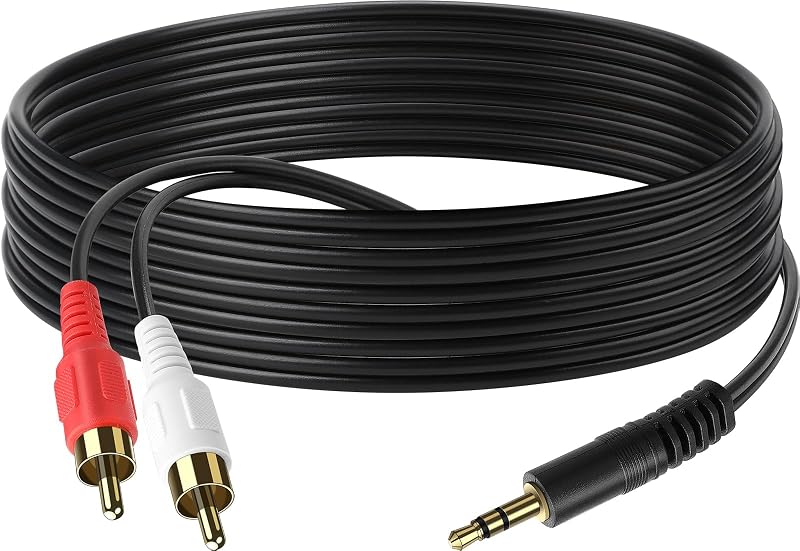
3.5mm Stereo Male to 2RCA Male (Right and Left) RCA Audio Cable (6 Feet)

3.5mm Stereo Male to 2RCA Male (Right and Left) RCA Audio Cable (6 Feet)

similar products:

comments:

Texan_Reverend posted on r/crtgaming3w

Depending on what type of gaming you want to do, you may be better served by a traditional VGA monitor. That said, there are ways to connect your current CRT TV to your computer (or any HDMI device) which can look better than the adapter you're using at the moment, and everything adds up to about $40. This is what I personally use to connect both a laptop and a Google TV streaming stick to my CRT TV. First, an HDMI to VGA adapter which can also split out the audio from the HDMI:UGREEN Active HDMI to VGA Adapter with 3.5mm Audio Jackhttps://amazon.com/dp/B00NBUTHJG Next, a 3.5mm to stereo RCA cable which takes audio from the HDMI adapter to your RF modulator:Pretty much any brand or model will work, and this one seems decent while being inexpensivehttps://amazon.com/dp/B01LC7OUKA Finally, a VGA to composite adapter which you would then connect to your existing RF modulator:eKL VGA to AV Adapterhttps://amazon.com/dp/B07L6WHQ6HThis particular unit is highly regarded and supports adjusting both the height & width of the picture to make sure you get the right aspect ratio. However, it ships configured for European PAL TVs instead of American NTSC TVs, so you have to adjust a setting without being able to see it. The process for this is detailed in the top couple of reviews on the Amazon page, but I'll share it here, too. The menu that you're navigating is just a list of settings, so you'll be going through them and adjusting them a bit until you hit the correct setting and see the picture change.Press MenuPress the down arrow once and then the right arrow 5 timesRepeat the arrows step until you adjust a setting which cycles through from a scrambled image to a cleaner oneKeep adjusting this setting until you end up on NTSC-M, not NTSC-J Once this is done, you can go through the other settings and adjust them to your preference.Adjust the width setting to reach the edges of your TV.If you're trying to display 16:9 video like your LCD monitor, you'll need to reduce the height setting of the image, leaving black bars on the top and bottom.If you're trying to fill your 4:3 TV screen without things looking squished, you'll need to match the height setting to the edges of your TV and then change the resolution on your PC.When changing the settings for this display on a Windows PC, you'll probably want 800x600, as that's about the lowest which most modern PC games will support. Though, some won't even support that, so you'll have to figure out what to set it at based on the lowest resolution your games will support. Some won't support 4:3 resolutions at all, and will have to be widescreen 16:9 resolutions. If that's the case, you should go to as low of a resolution as you can, and adjust the video height setting on the VGA to AV adapter to make it 16:9, as described above.For watching videos, displaying a web browser, or other non-gaming things, a resolution of 640x480 will be closest to what your TV can natively display and should have the most legible text. Even though this is 4:3, if you play widescreen videos in something like VLC or a web browser, they will maintain the proper 16:9 ratio and automatically add the black bars on the top and bottom. In the future, if you get a CRT TV with s-video or composite inputs, you can skip the RF modulator and connect the other adapters directly to the TV. If you get VGA computer monitor, you can use just the HDMI to VGA adapter. So, these parts should still be useful to you even if you decide to get different CRTs down the line.

3.5mm Stereo Male to 2RCA Male (Right and Left) RCA Audio Cable (6 Feet) | eaves-shop