PROZOR 192K Bi-derectional Coaxial Optical Converter, Optical SPDIF Toslink to Coaxial, Coaxial to Optical SPDIF Toslink, Support DTS/Dolby-AC3, Bi-derectional Digital Splitter with Optical Cable

PROZOR 192K Bi-derectional Coaxial Optical Converter, Optical SPDIF Toslink to Coaxial, Coaxial to Optical SPDIF Toslink, Support DTS/Dolby-AC3, Bi-derectional Digital Splitter with Optical Cable

similar products:

comments:

Cory5413 posted on r/minidisc38w

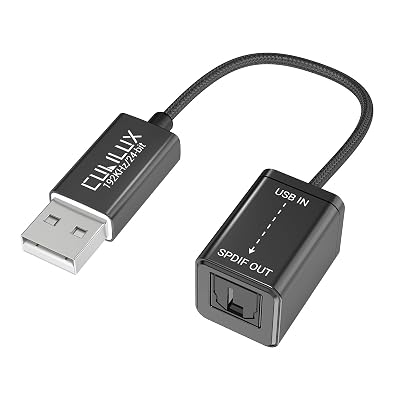
Congratulations, look great! I use this with my iPhone and my Android tablet: https://www.amazon.com/Cubilux-TOSLINK-Converter-Compatible-Computer/dp/B0B2DBGKL3/ and it works great - there is a USB-C version and it also works via Type-C hubs that support power delivery pass-through, using ~20w+ type-c power supplies and/or with my phone running on magnet power. Someone recently posted themselves doing recording with this set up using a phone: Daft Punk recording session. Starting with Homework : r/minidisc To use the onboard coax output, you would need a coax to toslink adapter: I use this one https://www.amazon.com/dp/B07BSBMZT7 To work with that, you'd need a 3.5mm to RCA cable that's set up for whatever the Hiby's official cable is. It looks like 3.5mm to RCA Coaxial Cable Given that the coax cable is $20 and you need a further $20 adapter anyway, if this thing runs Android it should be possible to use any USB sound card and so you might go ahead and aim for the cubilux USB sound card. In your streaming service, make sure you're using "Lossless" and not "high resolution" audio. I'm not aware off hand in Android any way to lock the output (the way you can on a computer) but MD hardware (the R50 and newer in particular) can support up to 24-bit/48khz input, any higher and the recorder may not recognize the signal or the recording may not work. (Some people recommend and buy adapters that lock to that spec but this isn't strictly speaking necessary.) One more thing: If Tidal on mobile has some way to insert a delay between songs, play with that as a way to automatically do track marking. This can vary per implementation and computer-software-interface-recorder combination, but if the software completely drops signal the MD recorder should interpret it as no signal and then start on a new track when the next track starts playing and you'll get auto-markers with ~no/minimal dead air. (At the expense of True Gapless if you have a gapless or continuously mixed album, for that I'd say steal the fiels, burn a CD and record that way from a cheap CD/DVD player with a digital output, or edit the track markers in by hand, per the experience you want.) If you want, you can also use a plain analog 3.5 to 3.5 aux cable and record in analog, but you will get ~no track marker automation potential and you will want to do some testing with levels in rec-pause/preview mode.

PROZOR 192K Bi-derectional Coaxial Optical Converter, Optical SPDIF Toslink to Coaxial, Coaxial to Optical SPDIF Toslink, Support DTS/Dolby-AC3, Bi-derectional Digital Splitter with Optical Cable | eaves-shop