28Pin Wire Harness for Toyota Male to Female Extension Full Pins 15cm Long

28Pin Wire Harness for Toyota Male to Female Extension Full Pins 15cm Long

similar products:

comments:

Indian_villager posted on r/wrx1w

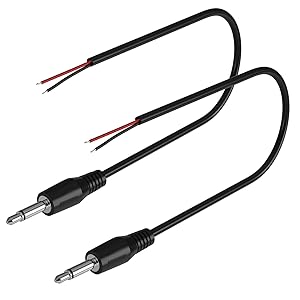
I know I am responding to a thread that is 3 years late. But I have an answer for those with 2016+ WRX and STI The following video helped me out. I know the references below are for toyota pinouts, but 2016+ subaru went over to the toyota pinout. I have confirmed this works on my car. How to Wire OEM Toyota Mic to Android Radio Head Unit Additionally this diagram is important. NOTE this diagram is for the connector on the car side. The connector on the head unit side is mirrored. Keep note of where the reverse signal pin is to guide you. https://tnstatic.net/attachments/toyota-28-pin-plug-pinout-jpg.618669/ Ok to make this work you'll need to populate additional pins into the 28 pin connector going from your head unit. If you are lucky enough to have the appropriate terminals to crimp, great. If not harvest them out of something like this. Amazon.com: YONGJIANGXIA 28Pin Wire Harness for Toyota Male to Female Extension Full Pins 15cm Long : Electronics To harvest out of the female plug (male pins) all you need to do is to unfold a staple from a staple gun and shove it in the slot above the pin on the plug side, and yank out the wire from the back. You will need 5 total additional pins, and the following cable. Amazon.com: 2-Pack 1FT Replacement 3.5mm Male Jack to Bare Wire Open End TS 2 Pole Mono 1/8" 3.5mm Jack Plug Connector AUX Audio Cable for Scanner,Speaker PA horns,morse key, cooling fans, power amp Repair (1ft) : Electronics Cut up one of the USB outputs you have such that you grab the 5v and gnd pins. Connect the 5v to the pin labeled 5v in the diagram above. Connect the GND to Mic Detect and Mic Shield. Connect the Mic- to the black wire on the 3.5mm connector linked above. Connect the Mic+ to a 100kOhm resistor, and the other side of the resistor to the red wire on the 3.5mm connector. Plug the 3.5mm into your mic input, and make sure the USB connector you hijacked is also plugged in and you should be good to go. Note I did this on a ZHNN unit so I don't know the idoing menu options to hit. Good luck.