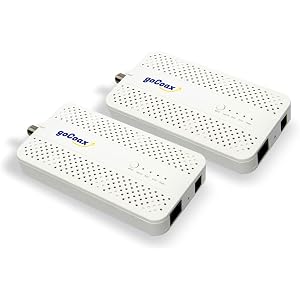
Amphenol 2-Way Digital Coaxial Splitter MoCA 2.5 ABS312H

Amphenol 2-Way Digital Coaxial Splitter MoCA 2.5 ABS312H

similar products:

comments:

plooger posted on r/homenetworking1d

Looks good, but steps 6 & 7 could be reworked to acknowledge the need to enable the gateway's built-in MoCA LAN bridge, as well as to test the MoCA link's connection and throughput before adding the WAP. (Step 6 could be wiring the MoCA adapter; Step 7 enabling the gateway MoCA LAN bridge and testing the link; Step 8 could be initial configuration of the WAP as an AP and testing; then connecting it via the MoCA link and final testing.) Re: linked parts... the linked splitter isn't a model recommended for use with MoCA; cutting to the chase, the 2-way splitters recommended: Antronix MMC1002H-B or Amphenol ABS312H MoCA adapter should work, but a Frontier FCA252 could be had for half the price off eBay -- and an FCA251 for a few $ less.

plooger posted on r/homenetworking1d

Ah, progress. My wife is getting 200mbps speed over WiFi now in her office. Is that good? What does your laptop read if hard-wired to the 3rd floor MoCA adapter, and then via Ethernet to the wireless mesh node? Is this near-equivalent to what the laptop sees when hard-wired to the primary router? 'gist: Wondering if the 200 Mbps is all you get, wireless or if the MoCA link is throttling throughput. It may be worthwhile looking into how to access your MoCA adapters' diagnostics pages, to review PHY rates (to assess MoCA connection quality). It's mentioned in the "recommended" link but these are the 2-way splitters recommended: Antronix MMC1002H-B or Amphenol ABS312H. The mystery of those extra coax lines remains. If you DO have luck locating their opposite end within the residence, you could add a secondary splitter in the outside service box sized to accommodate all the remote MoCA node locations ... keeping the modem location wired via an initial 2-way splitter. The 3+ node setup could then resemble >this<.

TomRILReddit posted on r/homenetworking1w

The cable attached to the splitter with the red HSD tag (High Speed Data) probably leads to your modem. Not sure where the other coax on the splitter with the white tag leads. You'll need to update the splitter with a moca compatible 5 to 1675Mhz version (https://a.co/d/09yxIfeF).

Smorgas47 posted on r/homenetworking2w

Get an F81 Barrel connector for the ISP to modem segments so that you have a better signal, although if your modem is getting a good signal it may not make a difference. No need for MoCA filters since the ISP / Modem connection is isolated. Yes, get the 2 way splitter for your MoCA LAN network. Connect the MoCA adapter from the router to the IN and the other 2 MoCA adapters to the OUT.

plooger posted on r/homenetworking2w

See the following Re: splitters optimized for MoCA: MoCA-compatible splitter recommendations (… and warnings) Recommended 2-way splitters (optimized for MoCA); right-size per need, source however works: https://www.amazon.com/dp/B08CRQLG8T/ https://www.amazon.com/dp/B07PRYS8YZ/ (though it's unclear whether you require any splitters or filters)

Smorgas47 posted on r/homenetworking2w

If you only have one path, use the F81 barrel connector in the utility cupboard to connect the two segments that you need for your connection. If you want to provide connectivity to 2 rooms, get a 5-1675mhz two way splitter and three MoCA adapters, one at the router and 1 for each room.

Smorgas47 posted on r/homenetworking2w

Here is a diagram that shows how MoCA works with DOCSIS 3.1 modems. Splitters should be 5-1675mhz and MoCA filters should be 70db. Looks like you can replace that 3 way with a 2 way and add a 2 way in the box per the diagram and have MoCA and TV to all three rooms. So Router / modem in one room on one line and the other 2 going to the additional rooms. I like the Kiwee MoCA adapters that have PoE+ ethernet port.

Prodding_The_Line posted on r/pcmasterrace5w

MoCA is basically using your house's TV cable or coaxial cable and turning them into literal ethernet cables. You would have a transmitter and receiver, on which both have ethernet ports. If you struggle with WiFi speeds, ping, and/or consistency with the connection then MoCA can be a great alternative. It's basically like having an ethernet cord and is pretty reliable as long as you use the latest devices. This is what I used: https://www.amazon.com/dp/B09RB1QYR9 Obviously the assumption is that the coaxial cable is somehow connected between the two rooms you are trying to connect. If there's another digital device like a cable modem using the coaxial cable then there's a line filter for that: https://www.amazon.com/Amphenol-2-Way-Digital-Splitter-ABS312H/dp/B08CRQLG8T Search for MoCA Ethernet. Anyway I thought I'd give you some knowledge in case in the future something came up and this would be useful to you.