
similar products:
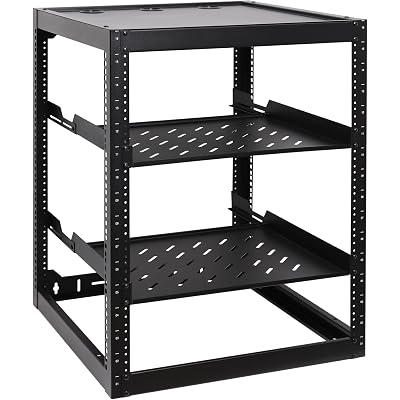
RackPath 16U Open Frame Network Rack with 2X 14in Vented 1U Shelves Rear Support, Wall Mount/Floor Standing Network Cabinet, Heavy Duty 150 lbs Capacity for IT & AV Gear, Audio and Video Device
Rosewill 4U Server Chassis Rackmount Case | 11 x 3.5 Bays, 3 x 5.25 Devices| ATX, CEB Compatible | 2 x 120mm PWM Fan, 2 x 80mm PWM Fans | 2 x USB 3.0, 1 USB-C 3.1 | Front Panel Lock | - RSV-R4200U

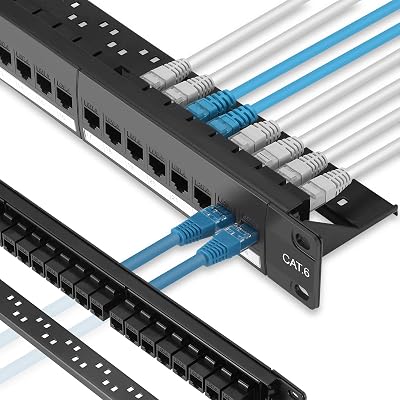
Rapink Patch Panel 24 Port Cat6 with Inline Keystone 10G Support, Pass-Thru Coupler Patch Panel UTP 19-Inch with Removable Back Bar, 1U Network Panel for Cat6, Cat5e, Cat5 Cabling
comments:
RackPath 16U Open Frame Network Rack with 2X 14in Vented 1U Shelves Rear Support, Wall Mount/Floor Standing Network Cabinet, Heavy Duty 150 lbs Capacity for IT & AV Gear, Audio and Video Device
Rosewill 4U Server Chassis Rackmount Case | 11 x 3.5 Bays, 3 x 5.25 Devices| ATX, CEB Compatible | 2 x 120mm PWM Fan, 2 x 80mm PWM Fans | 2 x USB 3.0, 1 USB-C 3.1 | Front Panel Lock | - RSV-R4200U
Rapink Patch Panel 24 Port Cat6 with Inline Keystone 10G Support, Pass-Thru Coupler Patch Panel UTP 19-Inch with Removable Back Bar, 1U Network Panel for Cat6, Cat5e, Cat5 Cabling