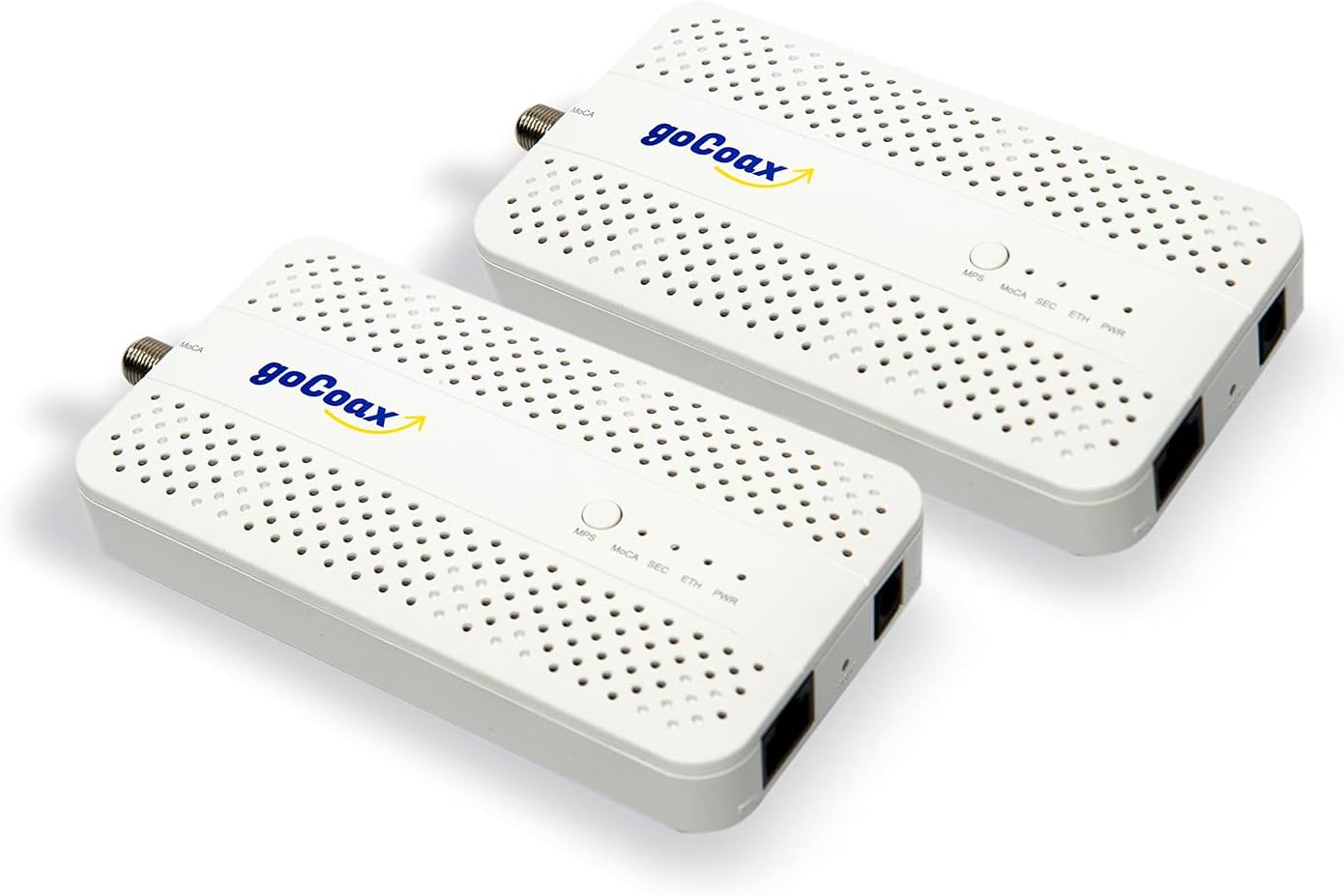
goCoax MoCA 2.5 Adapter (2-Pack) with 2.5GbE Ethernet Port | MA2500D Ethernet Over Coax for Gaming & 4K Streaming | 2.5Gbps, Plug and Play | for Cable Internet Homes - Not for Satellite TV (White)

goCoax MoCA 2.5 Adapter (2-Pack) with 2.5GbE Ethernet Port | MA2500D Ethernet Over Coax for Gaming & 4K Streaming | 2.5Gbps, Plug and Play | for Cable Internet Homes - Not for Satellite TV (White)

similar products:

TRENDnet Ethernet Over Coax MoCa 2.5 Adapter (2-Pack), TMO-312C2K, Backward Compatible with MoCA 2.0/1.1/1.0, RJ-45 Gigabit LAN Port, Supports Net Throughput up to 1Gbps, Support up to 16 Nodes, Black

electronics

TRENDnet Ethernet Over Coax MoCa 2.5 Adapter (2-Pack), TMO-312C2K, Backward Compatible with MoCA 2.0/1.1/1.0, RJ-45 Gigabit LAN Port, Supports Net Throughput up to 1Gbps, Support up to 16 Nodes, Black

Amazon Basics RJ45 Cat 7 Ethernet Patch Cable, Flat, 600MHz, Snagless, Gold Plated, LAN Network, Includes 20 Nails, 50 Foot, White

Amazon Basics RJ45 Cat 7 Ethernet Patch Cable, Flat, 600MHz, Snagless, Gold Plated, LAN Network, Includes 20 Nails, 50 Foot, White

TP-Link AC1200 Wireless Gigabit Access Point - Desktop WiFi Bridge, MU-MIMO & Beamforming, Supports Multi-SSID/Client/Range Extender Mode, 4 Fixed Antennas, Passive PoE Powered (TL-WA1201), Dual-Band

electronics

TP-Link AC1200 Wireless Gigabit Access Point - Desktop WiFi Bridge, MU-MIMO & Beamforming, Supports Multi-SSID/Client/Range Extender Mode, 4 Fixed Antennas, Passive PoE Powered (TL-WA1201), Dual-Band

TP-Link Powerline WiFi Extender TL-WPA7617 KIT - Includes AV1000 Powerline Ethernet Network Adapter and AC1200 Dual Band Extender, Gigabit Port, Passthrough, OneMesh, Ethernet Over Power, Plug & Play

electronics

TP-Link Powerline WiFi Extender TL-WPA7617 KIT - Includes AV1000 Powerline Ethernet Network Adapter and AC1200 Dual Band Extender, Gigabit Port, Passthrough, OneMesh, Ethernet Over Power, Plug & Play

Amphenol 2-Way Digital Coaxial Splitter MoCA 2.5 ABS312H

electronics

Amphenol 2-Way Digital Coaxial Splitter MoCA 2.5 ABS312H

Hitron MoCA 2.5 Network Adapter (2-Pack) - Requires Connected Coax Network | Up to 2.5 Gbps Ethernet Over Existing Coax | Ideal for Cable Internet Homes | 3 HTEM5 Adapters

electronics

Hitron MoCA 2.5 Network Adapter (2-Pack) - Requires Connected Coax Network | Up to 2.5 Gbps Ethernet Over Existing Coax | Ideal for Cable Internet Homes | 3 HTEM5 Adapters

Klein Tools VDV002-818 Coax Install and Test Kit with Crimp Tool, Includes Tester, Stripper and Universal F Connectors

tools, home

Klein Tools VDV002-818 Coax Install and Test Kit with Crimp Tool, Includes Tester, Stripper and Universal F Connectors

IDEAL Electrical 33-622T LinearX3 Coax Compression Hip Kit for F/BNC/RCA Connectors, Starter Tool Kit w/ 10 F Connector, Cable Stripper, Cutter

tools, home

IDEAL Electrical 33-622T LinearX3 Coax Compression Hip Kit for F/BNC/RCA Connectors, Starter Tool Kit w/ 10 F Connector, Cable Stripper, Cutter

Jonard Tools PT-100 Coax Cable Wire Tracer Pocket Continuity Tester & Toner with Audible Beep and LED, Red

tools, home

Jonard Tools PT-100 Coax Cable Wire Tracer Pocket Continuity Tester & Toner with Audible Beep and LED, Red

Jonard PT-300 Voltage Protected Coax Cable Wire Tracer Pocket Continuity Tester & Toner with Audible Beep and LED

tools, home

Jonard PT-300 Voltage Protected Coax Cable Wire Tracer Pocket Continuity Tester & Toner with Audible Beep and LED

Amphenol 8-Way Digital Splitter MoCA 2.5 ABS318H, Silver

electronics

Amphenol 8-Way Digital Splitter MoCA 2.5 ABS318H, Silver

PPC 2520A GLP-1G70CWWS MoCA 'POE' Coax Filter Cable TV Eliminate Multi-Room DVR Interference & Modem - New Version

tools

PPC 2520A GLP-1G70CWWS MoCA 'POE' Coax Filter Cable TV Eliminate Multi-Room DVR Interference & Modem - New Version

MoCA 2.5 Adapter Kit with 2.5G Ethernet Port and PoE+ 30W for Ethernet Over Coax – Ideal for Wi-Fi 6E/7 Access Points, IP Cameras, and More – Model KB-M3-03

electronics

MoCA 2.5 Adapter Kit with 2.5G Ethernet Port and PoE+ 30W for Ethernet Over Coax – Ideal for Wi-Fi 6E/7 Access Points, IP Cameras, and More – Model KB-M3-03

Amphenol 8-Way Digital Splitter MoCA 2.5 ABS318H, Silver

electronics

Amphenol 8-Way Digital Splitter MoCA 2.5 ABS318H, Silver

PPC 2520A GLP-1G70CWWS MoCA 'POE' Coax Filter Cable TV Eliminate Multi-Room DVR Interference & Modem - New Version

tools

PPC 2520A GLP-1G70CWWS MoCA 'POE' Coax Filter Cable TV Eliminate Multi-Room DVR Interference & Modem - New Version

Coaxial(Coax) Tester Portable BNC RJ59 and F-Style RJ45 Ethernet CAT5/CAT6/Coax Continuity Cable Tester Wire Checker Tool,with F Female Adapters

tools
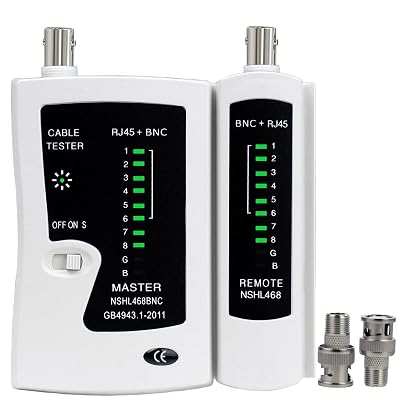
Coaxial(Coax) Tester Portable BNC RJ59 and F-Style RJ45 Ethernet CAT5/CAT6/Coax Continuity Cable Tester Wire Checker Tool,with F Female Adapters

Amphenol 8-Way Digital Splitter MoCA 2.5 ABS318H, Silver

electronics

Amphenol 8-Way Digital Splitter MoCA 2.5 ABS318H, Silver

PPC 2520A GLP-1G70CWWS MoCA 'POE' Coax Filter Cable TV Eliminate Multi-Room DVR Interference & Modem - New Version

tools

PPC 2520A GLP-1G70CWWS MoCA 'POE' Coax Filter Cable TV Eliminate Multi-Room DVR Interference & Modem - New Version

Coaxial(Coax) Tester Portable BNC RJ59 and F-Style RJ45 Ethernet CAT5/CAT6/Coax Continuity Cable Tester Wire Checker Tool,with F Female Adapters

tools

Coaxial(Coax) Tester Portable BNC RJ59 and F-Style RJ45 Ethernet CAT5/CAT6/Coax Continuity Cable Tester Wire Checker Tool,with F Female Adapters

comments:

plooger posted on r/homenetworking1d

u/HoldTheSneeze, setup looks generally correct, but with notes Re: current setup/photos ... splitters are not models recommended for use with MoCA; top-level splitter would ideally be just a 2-way if you only have the 2 downstream rooms needing connection; "PoE" MoCA filter should be moved to the input port of the top-level splitter to maximize its reflective benefit; "prophylactic" MoCA filter at the gateway could be moved to the splitter output port directly feeding the gateway, to avoid the filter from acting as a physical level and damaging the gateway coax port; choice of TrendNET TMO-312C is questionable given same cost for goCoax MA2500D. cannot get internet on my laptop via the Ethernet cable when I test. Just for clarity, I'd suggest walking through the connection points... what does the laptop measure when hard-wired to an Ethernet LAN port on the primary router? if you temporarily move the 2nd MoCA adapter to the router location and direct-connect it to the main MoCA adapter at the router using a short coax cable, what does the laptop measure when hard-wired via the 2nd MoCA adapter? Critically, your photos and setup description above lack any details on how the Xfinity device and primary router are wired, and how the MoCA adapters are wired via Ethernet. The setup should resemble the diagram previously posted: https://i.imgur.com/cthKykB.png The MoCA status LEDs indicating a connection but the laptop failing to get an IP or communicate via Ethernet would be a symptom of the main MoCA adapter's Ethernet port being disconnected or the main MoCA adapter being wired via Ethernet to the modem rather than the primary router.

Prodding_The_Line posted on r/homenetworking6d

Do you have coaxial cable (TV cable) in both rooms? Then consider MoCA which basically turns that cable into an ethernet like cable. Reliability is pretty much in line with a direct ethernet cable. Google Moca Ethernet. If you already use a cable modem then you can get an in-line splitter that is specifically for MoCA. Some cable modems even support MoCA out of the box so you might only need one device on the receiving end. The device I use: https://www.amazon.com/dp/B09RB1QYR9/ref=sspa_mw_detail_6

Prodding_The_Line posted on r/homenetworking1w

If you have coaxial (TV cable) running throughout the house, there's something called MoCA that turns it into an ethernet cable. Reliability is pretty much as an Ethernet cable. Since you have a cable modem then you can get a filter that separates both signals so they don't interfere with each other. Some modems have this function built-in, so you only need one device at the other end. Google MoCA ethernet. The one I use: https://www.amazon.com/dp/B09RB1QYR9/ref=sspa_mw_detail_6?

MinnisotaDigger posted on r/homenetworking2w

https://www.amazon.com/dp/B089MGMYFR Or https://www.amazon.com/dp/B09RB1QYR9 Attached to https://www.amazon.com/dp/B08SBXVSF3 Will be better than any wireless extender you can find. Trying to fix wifi with wifi often just produces less money.

DZCreeper posted on r/homenetworking2w

It sounds like this "wireless bridge" is a mesh wifi system, which is simply an access point connected wirelessly to another. These systems do extend range but generally halve the speed per node because 1 radio cannot communicate in both directions simultaneously. Some systems have an extra backhaul radio to eliminate this problem. Check the model number. The more efficient approach is wiring back to the main router. If your house has coaxial cable use MoCA 2.5 adapters for this. https://www.amazon.com/goCoax-Adapter-Ethernet-Bandwidth-existing/dp/B09RB1QYR9?th=1 If you are stuck with only wireless mesh try to minimize distance/walls. Repeating a weak signal is bad for overall performance.

DZCreeper posted on r/homenetworking2w

https://www.amazon.com/goCoax-Adapter-Ethernet-Bandwidth-existing/dp/B09RB1QYR9 Been recommending those for 2 years, nobody comes back with problems. You don't need software, MoCA is all handled on the adapters. There is a web UI at 192.168.254.254 if you need to make changes, such as frequency band.

GinsengViewer posted on r/fighters3w

Use a Moca adapter ( converts coaxial/TV cable to ethernet) or a powerline adapter (converts electrical wires to ethernet). Moca adapter: https://www.amazon.com/goCoax-Adapter-Ethernet-Bandwidth-existing/dp/B09RB1QYR9/ref=mp_s_a_1_3?crid=2TG74UNIAZXWQ&dib=eyJ2IjoiMSJ9.dybWjHt9YIhhDaBASCWWa7aBNybvtKV8wP8USCzrLtmPpp_zH9Jo964oVG5aSnhlqhZIoJWLG-jRDOxAWNp2MMG2YDxxQzj0wRf1f3ljJAwJQdaTnmmnl76JAbc_GNFw74Em2VdaZpOCeR1RfIpT1fT2BxVJ304YZ_BrILCFnxeupVJFwyBVp9TBnwQWsJb9gqDhZeoF26dZUqkauLUukQ.pF9cRCSN_N4o61yjzv6JKxU5zARVSDzf9-QWks_bcWM&dib_tag=se&keywords=moca+adapter&qid=1780943715&sprefix=moca+ada%2Caps%2C202&sr=8-3 Powerline adapter: https://www.amazon.com/TP-Link-Powerline-Wi-Fi-Extender-TL-WPA7617KIT/dp/B09L85MFNY/ref=mp_s_a_1_2_sspa?crid=2MX4AG60E876W&dib=eyJ2IjoiMSJ9.eHnisz8OUqvi6CMojhbkraJARLC2ZMJYrW0nvH8Zx7nq9vVUZGivS9IKXjiMgIt1A0hL61eWWfF-BZ-HLcCUVFSaxYxUClTIc1JBPsYMX7DsDe82LNTg-6BYMKckUs2w5TwELJG_93jvK4QXan0CQQ2jiBCMksJIy_1He0OEhABYUc46AhBwwnjEStMuoGGH7msARN_2-TGfBzCb9lxZGg._jx7npEg2IuLh2hiL0NEX1F3HZCNPfi_RP-H5OgLk_s&dib_tag=se&keywords=powerline+ethernet+adapter&qid=1780943858&s=electronics&sprefix=power%2Celectronics%2C167&sr=1-2-spons&sp_csd=d2lkZ2V0TmFtZT1zcF9waG9uZV9zZWFyY2hfYXRm&psc=1

Prodding_The_Line posted on r/pcmasterrace5w

MoCA is basically using your house's TV cable or coaxial cable and turning them into literal ethernet cables. You would have a transmitter and receiver, on which both have ethernet ports. If you struggle with WiFi speeds, ping, and/or consistency with the connection then MoCA can be a great alternative. It's basically like having an ethernet cord and is pretty reliable as long as you use the latest devices. This is what I used: https://www.amazon.com/dp/B09RB1QYR9 Obviously the assumption is that the coaxial cable is somehow connected between the two rooms you are trying to connect. If there's another digital device like a cable modem using the coaxial cable then there's a line filter for that: https://www.amazon.com/Amphenol-2-Way-Digital-Splitter-ABS312H/dp/B08CRQLG8T Search for MoCA Ethernet. Anyway I thought I'd give you some knowledge in case in the future something came up and this would be useful to you.

nefarious_bumpps posted on r/homenetworking7w

Use the Hitron HTEM5 or goCoax MA2500D instead of the HTEM4; the latter only has 1GbE while the former has 2.5GbE. This could matter if you add internal servers or NAS, or if you upgrade your Internet service. Use either the Klein or Ideal coax termination tool kit. I think Ideal is a nicer tool set, but the Klein does include a coax tester, so you wouldn't need to buy a continuity tester separately. I try to avoid using unknown off-shore brands when possible, so if you go with the Ideal termination tools I'd suggest a Jonard PT-100 or PT-300 continuity tester. The difference is the PT-300 has voltage protection in case you forgot to disconnect both ends of the coax from equipment before testing.

Smorgas47 posted on r/homenetworking8w

Since you have the coax, here is a diagram that shows how to use MoCA adapters with DOCSIS 3.1 modems. Be sure to use 5-1675mhz splitters and 70db MoCA filters for best results. GoCoax and Kiwee MoCA adapters sold at Amazon are good choices. The referenced Kiwee model has PoE+ Ethernet port. I use that Kiwee model to connect a Unifi U7 In-Wall AP using the PoE+ and then connect a Flex Mini 2.5 switch that is powered by the PoE port on the AP. My system is all UniFi.

Smorgas47 posted on r/homenetworking9w

If you have coax you might want to use that for the backhaul of your satellite WiFi APs. Here is a diagram that shows how MoCA adapters are used with DOCSIS 3.1 modems. Be sure to use 5-1675mhz splitters and 70db MoCA filters. These GoCoax MoCA adapaters should work well for you. The diagram covers the most technically complex situation requiring MoCA filters to keep the signal from your neighbors as well as to keep the MoCA signal from interfering with the DOCSIS modem signal. Adjust your connections accordingly. This is the cheapest tester for mapping your coax. Connect the sending unit in the room and connect the receiving unit to the various possibilities until it lights up. Also useful for Ethernet cables.

Smorgas47 posted on r/homenetworking9w

Here is a diagram that shows how MoCA adapters are used with DOCSIS 3.1 modems. Be sure to use 5-1675mhz splitters and 70db MoCA filters. These GoCoax MoCA adapaters should work well for you. The diagram covers the most technically complex situation requiring MoCA filters to keep the signal from your neighbors as well as to keep the MoCA signal from interfering with the DOCSIS modem signal. Adjust your connections accordingly. This is the cheapest tester for mapping your coax. Connect the sending unit in the room and connect the receiving unit to the various possibilities until it lights up. Also useful for Ethernet cables.

goCoax MoCA 2.5 Adapter (2-Pack) with 2.5GbE Ethernet Port | MA2500D Ethernet Over Coax for Gaming & 4K Streaming | 2.5Gbps, Plug and Play | for Cable Internet Homes - Not for Satellite TV (White) | eaves-shop